Modern DMS White Paper
Digital document management built for faster review, secure archive, and easy retrieval.
Modern DMS helps teams convert PDF-heavy work into a controlled process: upload documents, extract key data, review records, archive approved files, and access them whenever required.
Complete process URL
https://dms.hrm53.com/learnOpen the complete walkthrough to see the full upload, review, archive, and signing flow.
Section 01
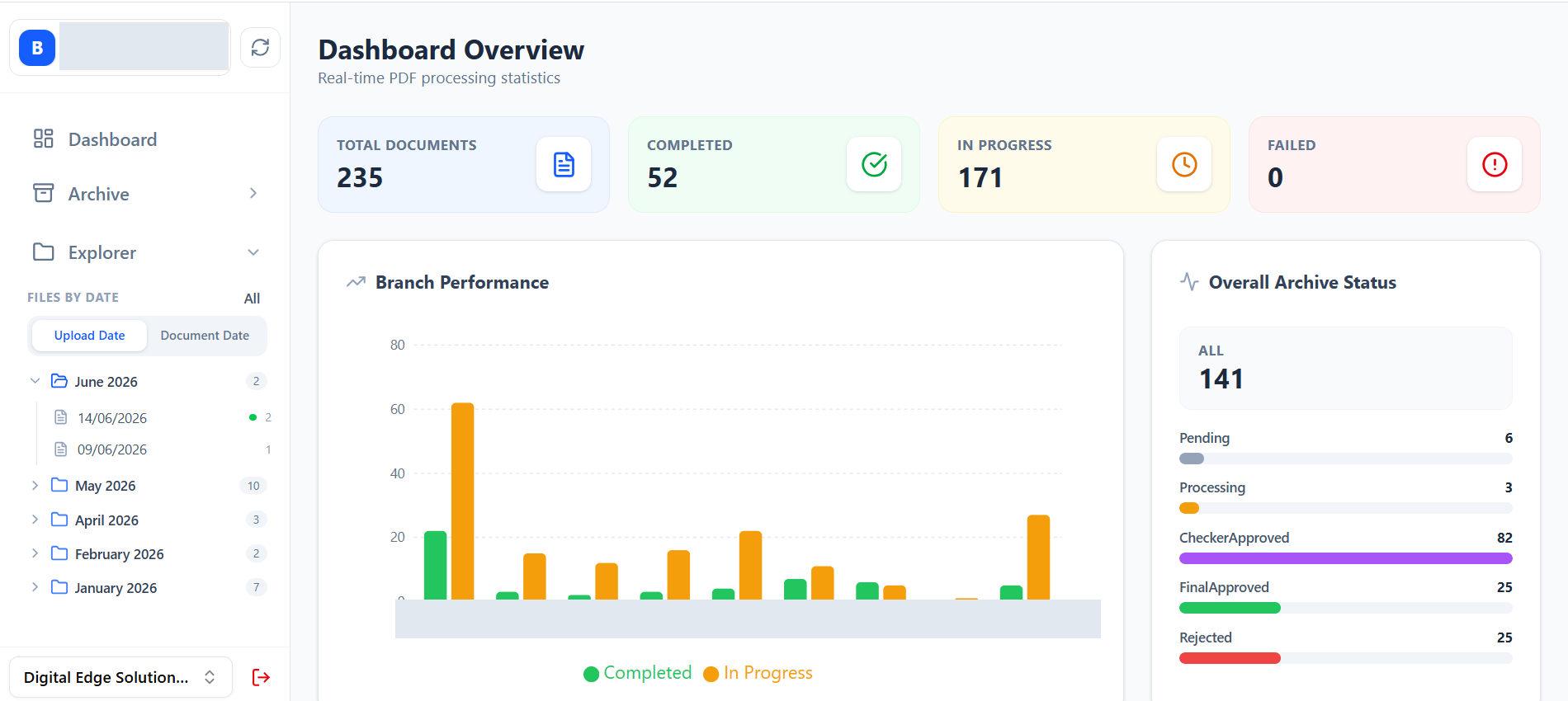
Executive Dashboard
Management can track document volume, completed work, pending reviews, failures, and branch performance from one screen.
Section 02
Archive Module
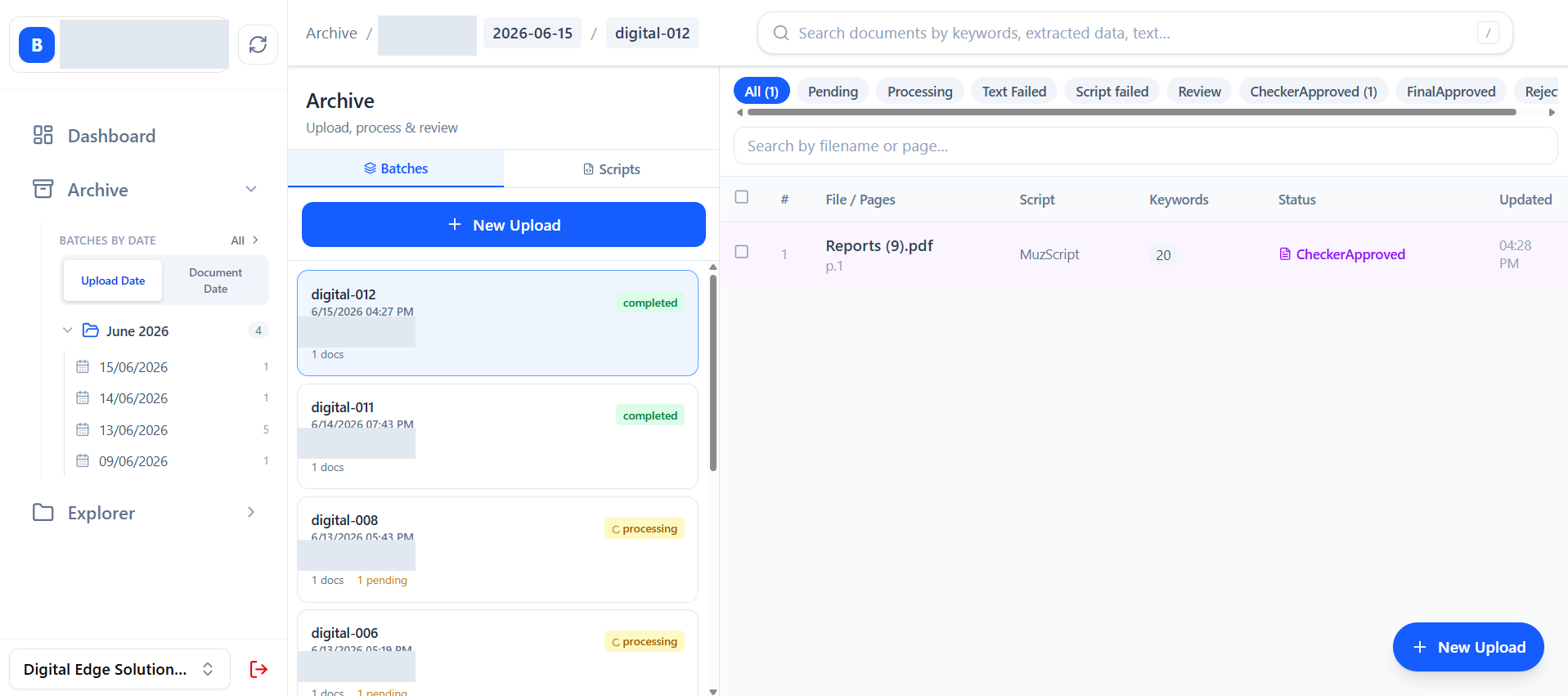
Archive documents are organized, validated, and made searchable so users can manage uploaded records with clear status and document details.
- 1Sort documents by Uploaded Date or Document Date.
- 2During archive document upload, the system validates document identity and customer information.
- 3Documents uploaded in selected months are displayed in the middle of the screen.
- 4Details of the selected document are displayed on the right side.
- Uploaded documents are managed by TT Number as a unique value within the system.
- If a duplicate is found, the system alerts the user and generates a warning.
- Complete data is revalidated from the main customer record source and placed in the archive details.
- Collected data is stored as meta tags for future search and reference.
Section 03
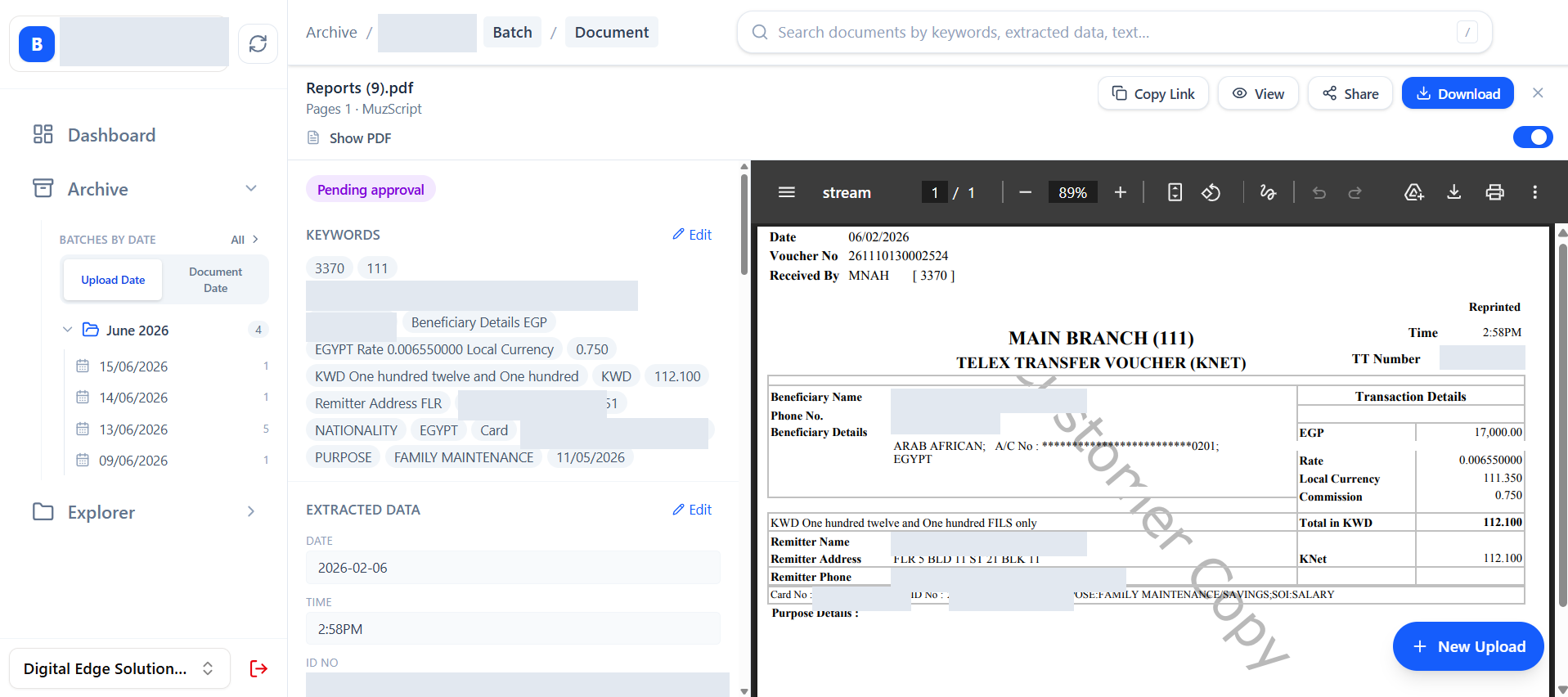
Document Review Panel
Reviewers can compare the original PDF with extracted data, correct details where required, and move the document forward with confidence.
Section 04
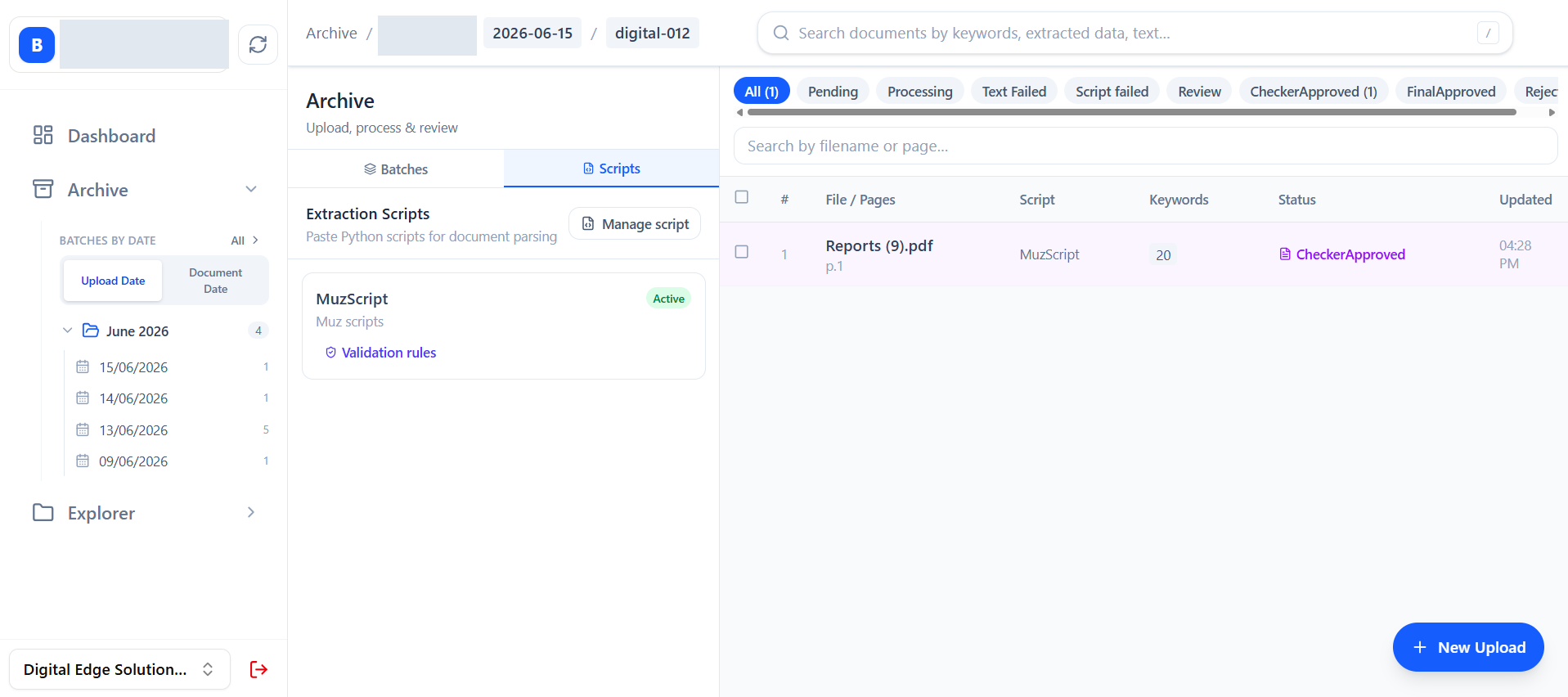
Extraction Scripts
Administrators can configure document extraction rules so repeated PDF formats are read automatically and consistently.
Section 05
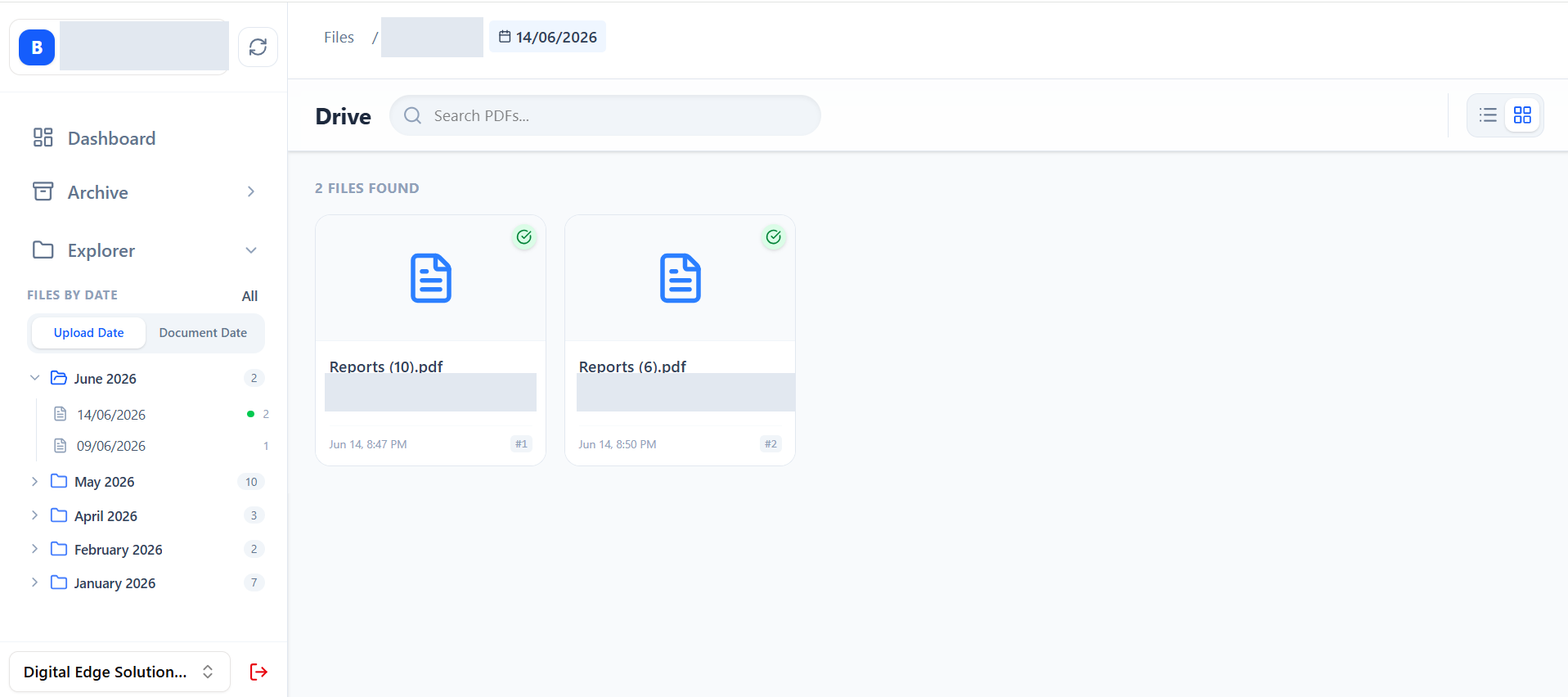
Explorer Repository
Users can browse stored PDFs by branch and date, quickly locate previous records, and open related archive details when needed.
Section 06
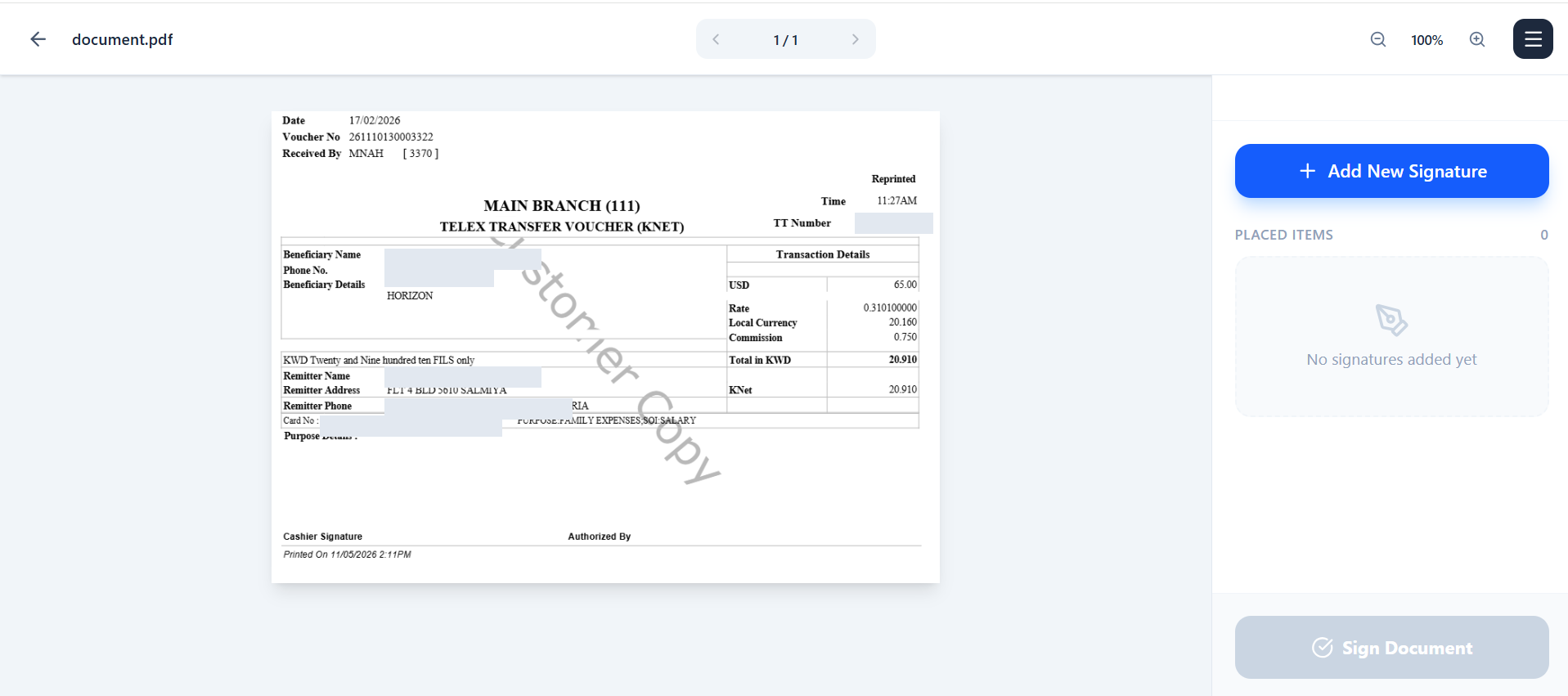
Digital Signing
Authorized users can place signatures directly on PDF pages while keeping the signed file connected to the same document history.